Settings for Stitching 3D Images
The settings for stitching 3D images are available in the Stitch 3D Images dialog. Select the images you need to stitch in the Data Properties and Settings panel and then choose Stitch 3D Images in the pop-up menu to open the dialog which is shown below.
Stitch 3D Images dialog
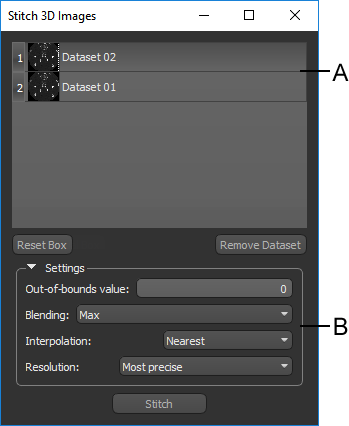
A. Datasets list B. Settings
 Datasets List
The top section (A) of the Stitch 3D Images dialog contains a list of all the datasets that you selected for stitching, while the bottom section (B) contains the selectable settings. If required, you can drag a dataset from the Data Properties and Settings panel to add it to the current operation. You can also remove a selected dataset by clicking the Remove Image button. You should note that the reference box that is created automatically to encapsulate all of the selected datasets can be reset by clicking the Reset Box button.
Settings
The following settings are available for stitching volumetric datasets.
| Item | Description |
|---|---|
| Reset Box | Lets you reset the reference box that determines the dimensions of the output dataset. The initial size and orientation of the reference box, which appears automatically as the Stitch 3D Images Box in the Data Properties and Settings panel, is modeled on the selected datasets to provide the best initial fit. |
| Out-of-bounds value | Lets you assign a data value to voxels that are out-of-bounds. Out-of-bounds voxels are voxels that are included in the Stitch 3D Images box, but do not intersect with any of the voxels of the images selected for merging. |
| Blending |
Lets you choose a blending method for overlapped areas as follows:
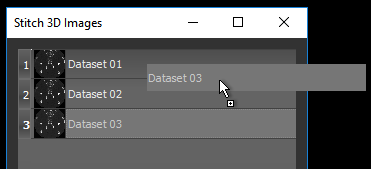
Max… The maximum intensity values of all datasets selected for the stitch operation will be applied to the voxels of the output image. Mean… The mean intensity values of all datasets selected for the stitch operation will be applied to the voxels of the output image. Min… The minimum intensity values of all datasets selected for the stitch operation will applied to the voxels of the output image. No blending… In this case, voxel values will be assigned based on the order in which the datasets appear in the Stitch 3D Images dialog. This means that the values of the dataset at the top of the list will be applied directly to all corresponding voxels in the Stitch 3D Images box. If there are not intersecting voxels in the dataset at the top of the list, then the values of the dataset below will be applied. If there are no intersecting voxels in any dataset, then the out-of-bounds value will be applied. If required, you can re-order the datasets in the list by dragging items up or down, as shown below.
Weighted… Intensity values will be smoothly adjusted between all datasets selected for stitching by applying a weighted average of the closest 2 x 2 neighborhood. This is the recommended Blending option for most cases. |
| Interpolation |
Lets you choose the type of interpolation applied to stitch the selected datasets as follows:
Nearest… This basic interpolation scheme requires the least processing time because it only considers one pixel — the one closest to the interpolated point. Linear… Considers the closest 2 x 2 neighborhood and then takes a weighted average of these four pixels to arrive at its final interpolated value. Tricubic… This interpolation scheme goes one step beyond Linear by considering the closest 4 x 4 x 4 neighborhood of known pixels. Will result in smoother looking images than Linear. |
| Resolution |
Lets you choose the resolution of the output dataset as follows:
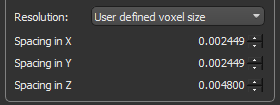
Most precise… Uses the smallest voxel size of all datasets selected for the stitch operation. User defined voxel size… Lets you choose the required values for spacing in the X, Y, and Z axes, which determines the voxel size. You should note that increasing spacing along an axis will reduce the number of pixels along that axis by downsampling. Conversely, decreasing the spacing along an axis will increase the number of pixels along that axis by upsampling.
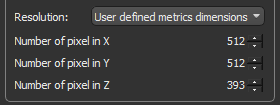
Note User-defined voxel size selections are limited to a factor of 10 of the original image data. User defined matrix… Lets you choose the resolution of the output dataset as the number of pixels in the X, Y, and Z axes. You should note that increasing the number of pixels along any axis will decrease the corresponding spacing value, while decreasing the number of pixels along an axis will increase the corresponding spacing value.
Note In all cases in which the resolution of the original image data is changed, the geometry of the Stitch 3D Datasets box — which is calculated as the [(number of pixels)*spacing] — will be maintained. |